Should you use Google Calendar for your stream schedule?
It's a sensible instinct. Your streams already live in your calendar; Google Calendar can make a calendar public; viewers have Google accounts. Share the link, put it in your bio, done — right?
Plenty of streamers try this. Almost none stick with it. Here's why, laid out honestly, because the instinct — one canonical schedule, published at one link — is exactly right. It's the tool that's wrong.
What Google Calendar gets right
- It's free and you already use it
- Recurring events are first-class
- If a viewer adds your calendar, times display in their timezone
Where it breaks down as a public schedule
The viewer experience is built for coworkers, not audiences. A public Google Calendar link lands viewers in a full calendar UI — busy month grid, tiny event titles, no sense of "this is a streamer's schedule". The embeddable widget is dated, cramped on mobile, and can't be meaningfully styled.
Viewers have to do the work. The good timezone behaviour only kicks in for viewers who subscribe to the calendar in their own Google account. The casual viewer clicking from your bio gets the raw public view — and public embeds display in the calendar's timezone unless the viewer fiddles with settings. The people most likely to miss your stream are the least likely to do that.
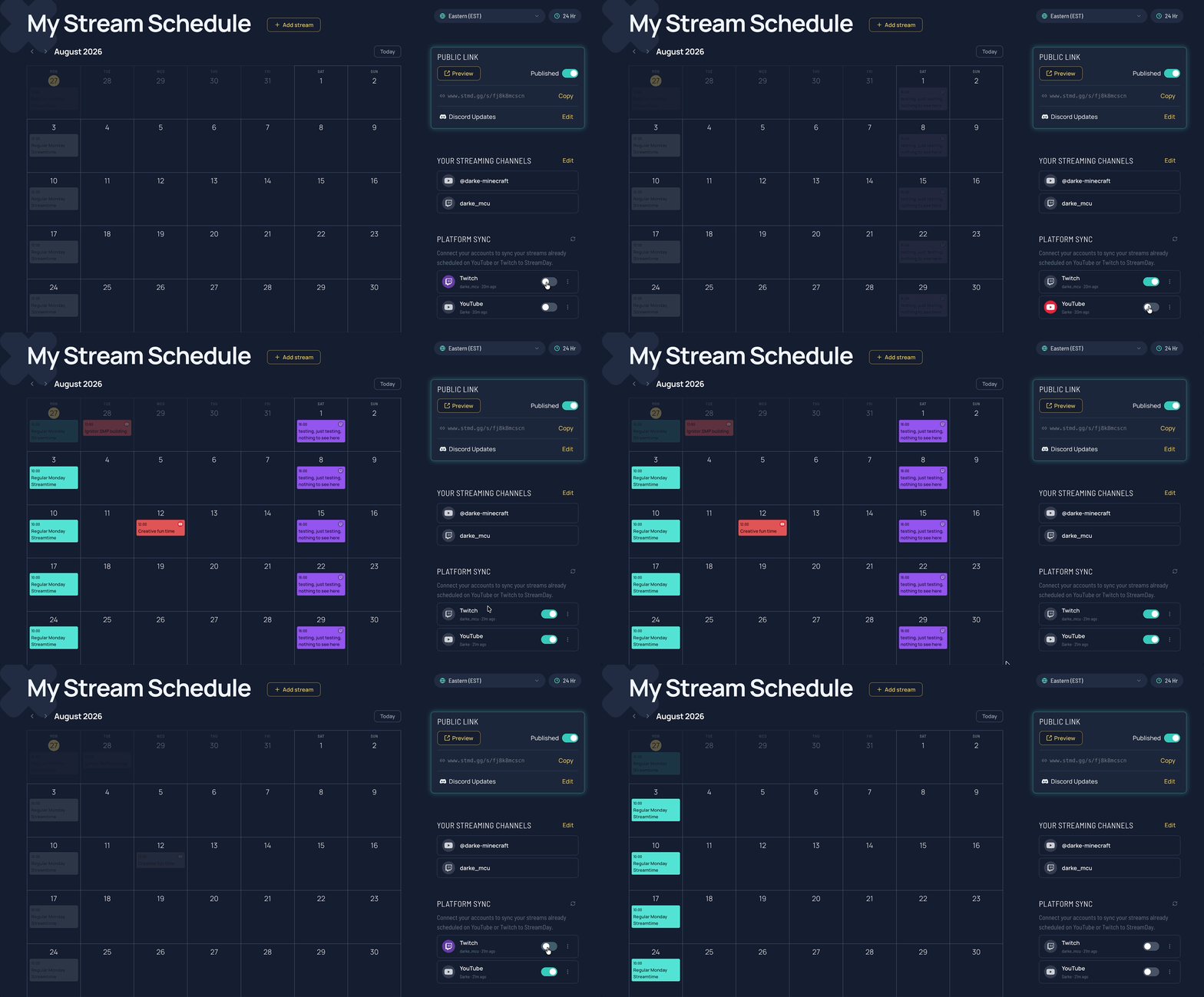
Nothing syncs from your platforms. Your scheduled Twitch streams and YouTube premieres don't appear by themselves. You're re-entering everything — which means the calendar drifts out of date the first busy week you have.
No streaming context. No platform tags, no channel links, no "live now", no collab lineups, no share graphics. It's a wall calendar, not a schedule page.
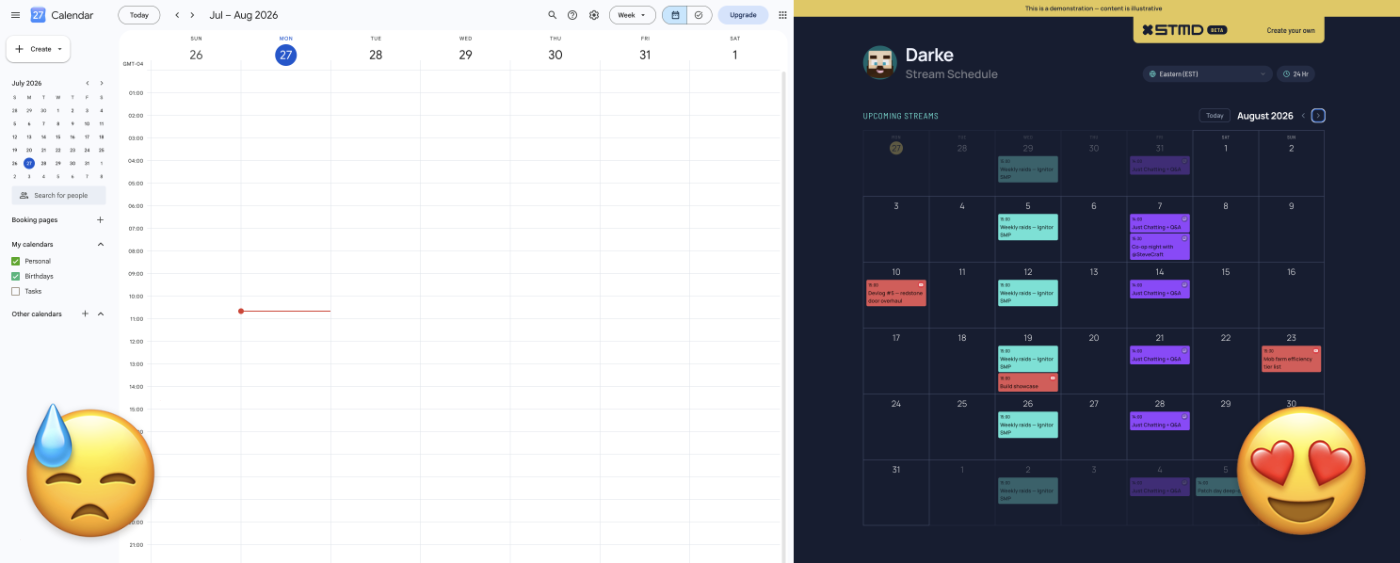
What a stream-native schedule looks like
StreamDay's stream schedule maker is built around the same "one canonical link" idea, with the streaming half actually handled:
| Public Google Calendar | StreamDay | |
|---|---|---|
| Auto-imports Twitch + YouTube streams | No | Yes |
| Viewer sees their own timezone | Only if they subscribe / adjust settings | Always, automatically |
| Made for audiences | No — office calendar UI | Yes — see a live example |
| Recurring streams | Yes | Yes, with per-occurrence overrides |
| Platform tags & channel links | No | Yes (Twitch, YouTube, Kick) |
| Discord announcements | No | Weekly digest + go-live reminders, automatic |
| Cost | Free | Free to build; small subscription only to publish |
When Google Calendar is enough
For your private planning — absolutely, keep using it. Some streamers run their personal life in Google Calendar and their public schedule on StreamDay, entering streams once in the place viewers actually look. If your audience is a handful of friends who'll happily subscribe to an ICS feed, the free instinct works too.
But if the goal is "a link in my bio that any viewer can open and instantly know when I'm next live, in their own time" — that's a schedule page, not a calendar. Here's what one looks like.