Doodle alternative for streamers: scheduling collabs without the meeting-tool baggage
Doodle is the grown-up of group scheduling. It's polished, it integrates with work calendars, and if you need to get six colleagues into a quarterly review, it does the job with minimal fuss.
That polish comes with a shape, though — and the shape is meetings. If you've landed here searching for a Doodle alternative because you're trying to schedule a collab stream or community event, the friction you're feeling is real: you're using a business tool for something it wasn't designed to do.
What Doodle does well
- Clean, professional polling — propose slots, let people vote
- Calendar integrations for people who live in Outlook or Google Calendar
- Booking-page features for 1:1 appointments
For office scheduling, all of that lands. For streamers, most of it is dead weight.
Where it falls short for streamers
It's slot-voting, not availability. Doodle's default flow asks the organiser to propose specific time slots up front. But for a collab you usually don't have candidate slots yet — you want to see everyone's availability first, then decide. (When you're at that stage, an availability grid beats a poll.)
Business features, business pricing. The free tier is deliberately limited and ad-supported; the useful features sit behind per-user subscriptions aimed at companies. A group of streamers isn't going to buy seats to schedule a raid train.
Your community isn't in the loop. Like every meeting tool, Doodle ends when the group picks a time. There's no audience-facing output — no schedule page, no lineup, no notifications to the people who actually watch.
No streaming context. Channels, platforms, who-goes-live-when, handoffs between streamers — none of it exists in a meeting tool.
What StreamDay does differently
| Doodle | StreamDay | |
|---|---|---|
| Designed for | Business meetings | Streamers and streaming events |
| Finding a time | Vote on proposed slots | Everyone paints availability; overlaps surface automatically |
| Timezones | Supported | Automatic for everyone — participants and viewers alike |
| Participant accounts | Doodle account for organisers; ads on free tier | Discord sign-in, no email collected |
| Pricing model | Per-user subscriptions for teams | Free to coordinate; one small subscription only when you publish |
| Audience output | None | A public event page with live status, plus per-day share graphics |
| Ongoing schedule | One-off polls | Events and recurring stream schedules that stay current |
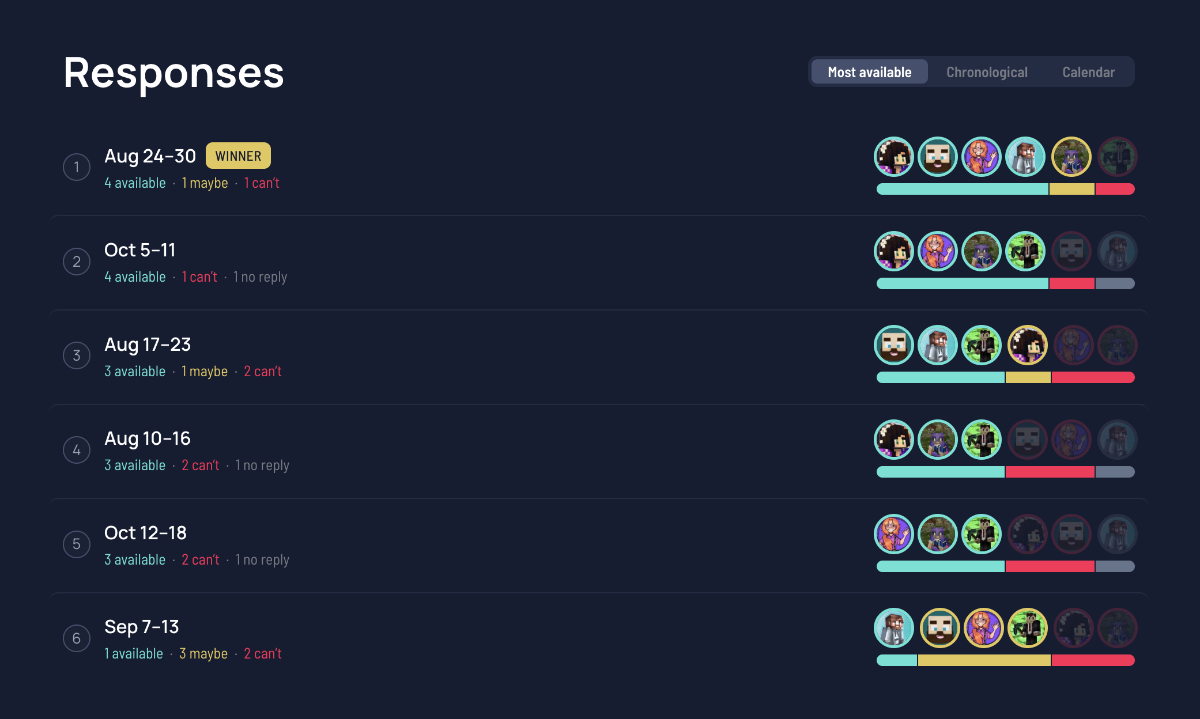
The philosophical difference: Doodle optimises for the group agreeing on a time. StreamDay treats that as step one of five — find the date, collect availability with the collab scheduler, build the lineup, publish a page your viewers can follow, and push reminders to Discord automatically.
When to stick with Doodle
If you're scheduling meetings with people who live in their work calendars — sponsors, agencies, business contacts — Doodle's calendar integrations are genuinely useful. Keep it for that. For anything where the result needs to reach an audience, a meeting tool will always leave you doing the second half of the job by hand.
See what the finished output looks like: an example event page, free to explore, no signup.