Putting your stream schedule in your link in bio (Linktree and beyond)
Every streamer's bio link tells the same story: a Linktree (or Beacons, or Carrd) with the channels, the socials, the merch — and somewhere in the middle, a "Schedule" entry that's either a static image, a link to a Discord invite, or missing entirely.
That schedule slot is the weak link, because link-in-bio tools answer where to find you. Viewers deciding whether to catch you live are asking when.
The usual answers, and why they age badly
A schedule image. Looks great the day you export it. Then one stream moves, and your bio is lying to everyone until you remember to re-export, re-upload, and re-order the links. Worse: the image shows your timezone, and every viewer abroad is doing arithmetic.
"Schedule's in the Discord." So a curious new viewer has to join a server, find the right channel, and scroll to a pin — to answer a question that should take five seconds. Most won't.
Nothing at all. The honest default. The algorithm decides who catches you live.

What goes in the slot instead
The fix is a live schedule page: one URL that's always current, so the link in your bio never goes stale.
- Your scheduled streams import automatically from Twitch and YouTube — change them there, and the page updates itself
- Every viewer sees times in their own timezone, no arithmetic
- Streams are tagged by platform (Twitch, YouTube, Kick) with links to your channels
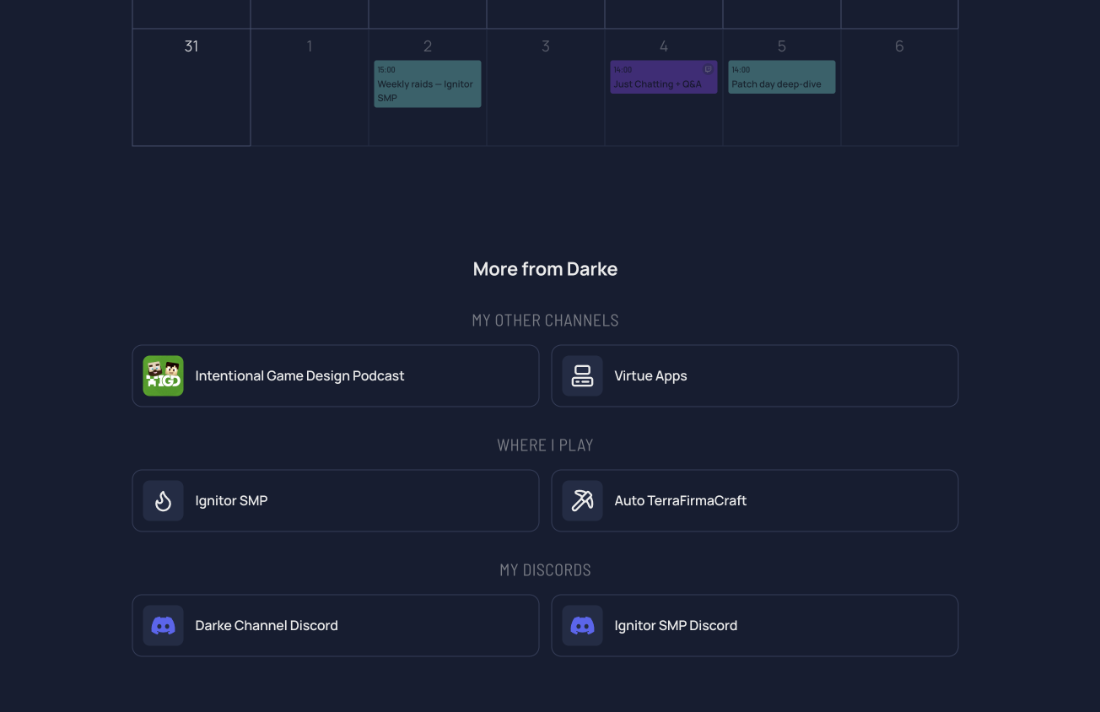
- Below the calendar, StreamDay's own link collection covers your channels, socials, and anything else — so for many streamers the schedule page can be the bio link
Here's a live example of what viewers see.
| Schedule image in Linktree | StreamDay schedule page | |
|---|---|---|
| Stays current | No — manual re-export | Yes — syncs from Twitch/YouTube |
| Viewer's own timezone | No | Yes, automatically |
| Platform links per stream | No | Yes |
| Extra links (socials, merch, Discord) | Yes | Yes — built-in link collection |
| Discord announcements | No | Automatic digest + reminders |
| Cost | Free–paid tiers | Free to build; small subscription to publish |
Keep the Linktree, fix the slot
This isn't "ditch your link in bio". If your Linktree setup works, keep it — just make the Schedule entry point at a page that's actually alive rather than a PNG from three weeks ago. And if you'd rather consolidate, a StreamDay page with the link collection underneath does both jobs from one URL.
Set one up with the stream schedule maker — free to build and preview, and the demo video shows the whole flow in a couple of minutes.