Minecraft SMP event coordination playbook
SMPs are the gateway drug to multi-streamer event production. You start with a 5-person friend group on a private server, you do one launch stream together, and a season later you're running a 12-streamer charity event with viewers tuned in from four continents.
The Minecraft part is the easy bit. The hard bit is the coordination: getting twelve streamers to agree on a schedule, getting their audiences to all show up at the right times in their local timezones, and producing a result that feels like one cohesive event rather than twelve independently streaming people who happen to be in the same world.
This is a playbook for running SMP events that work — drawn from how organisers actually run them, not from theory.
What makes an SMP event different
A solo stream is a project you control end-to-end. A two-person collab stream is a coordination problem you can solve in a DM.
An SMP event is a production. It has a cast, a schedule, an audience, and a thing that has to happen between certain times on certain days. The closer you can get to thinking of it like running a small TV event — with rehearsal, run-of-show, and post-mortem — the more reliably it goes well.
The specific things SMP events have that solo streams don't:
- Multiple streamers' schedules to align. Some live in different timezones, some have day jobs, some have families.
- Multiple audiences who only know one or two streamers. The viewer who follows Streamer A doesn't necessarily know who Streamer B is.
- A shared in-game experience that has to be staged so it produces good moments for everyone watching, across all the streamers' POVs.
- Promotion across all the streamers' channels so the audiences actually find out.
- A single canonical schedule that survives the schedule-edit churn that always happens in the week before the event.
Step 1: Lock the lineup before you announce dates
The biggest mistake first-time SMP event organisers make: pick a date, announce it, then try to lock in who's streaming.
This always produces drift. Streamer A confirmed for Saturday afternoon, then their schedule changes, now they can only do Sunday morning, which means Streamer B has to move, which means Streamer C has a conflict, and you're rebuilding the schedule the week of the event.
A better sequence:
- Decide who you'd ideally have in the event. Five streamers, ten streamers, whatever.
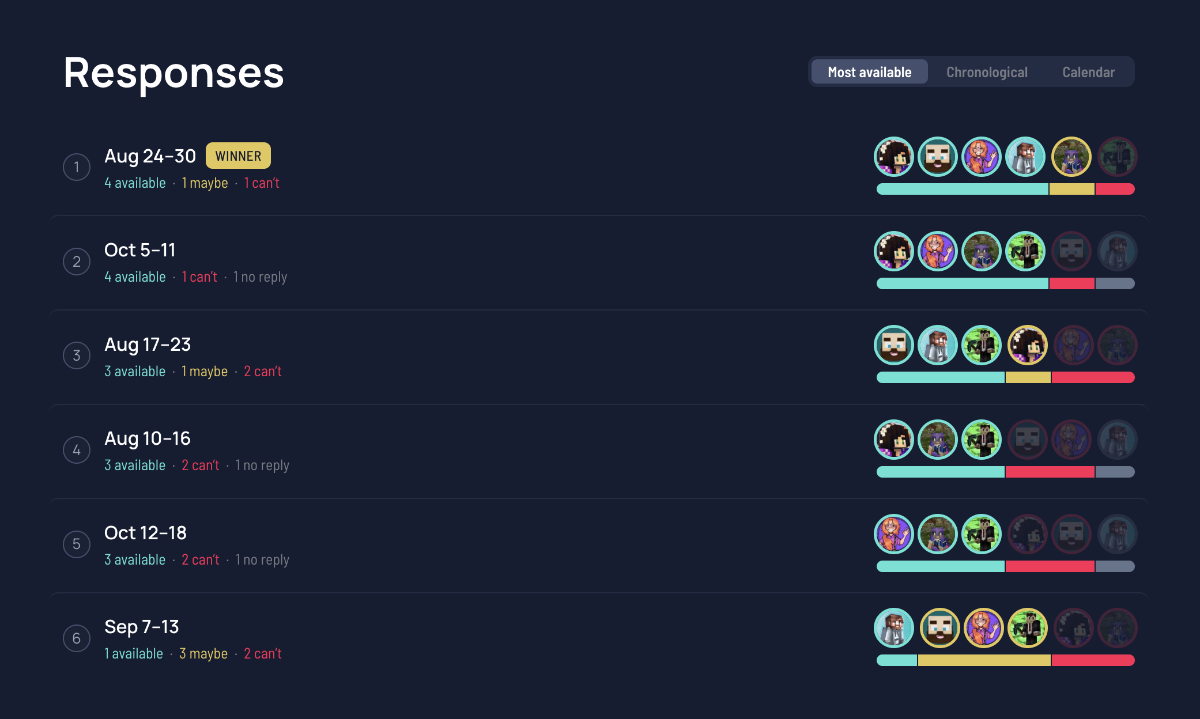
- Reach out individually with rough dates ("we're planning something around June 14–16, are you available either day?"). Rather than piecing this together from DMs, share a stream date finder so everyone marks the days they can do in one place and the best date rises to the top — our guide to finding a date for a group walks through it.
- Get verbal commitments with availability windows.
- Then build a draft schedule that fits those windows.
- Confirm the schedule with everyone in writing.
- Then announce dates.
Yes, this delays the announcement by a week or two. It also means you announce a schedule that holds up, which is worth a lot more.
A trap to avoid: don't commit to "ten streamers" before you've talked to ten streamers. Big lineups are exciting, but a five-streamer event that runs smoothly is better than a ten-streamer event with three no-shows and two awkward gaps.
Step 2: Solve the timezone problem early
International SMPs always have a timezone problem.
If your event has streamers across Pacific, Eastern, UK, and JP — which most do once they're past the friend-group stage — you're working with up to a 17-hour spread. That has implications:
- A "Saturday evening" event is Sunday morning for JP streamers
- A "kickoff at 12pm" event excludes anyone west of Hawaii on a weekday
- Late-evening Pacific streams are early-morning UK and noon-time JP
Two patterns that work:
Sliding kickoff across days. Day 1 is biased toward European audiences (UK morning, NA evening). Day 2 is biased toward Pacific/JP (NA morning, JP evening). Each streamer is on during their local prime time, even if that means different blocks of the event lean toward different regional audiences.
Single canonical kickoff in UTC. Pick a time that's "evening enough" for everyone — usually 16:00–20:00 UTC works. NA East is 11am–3pm (lunchtime), NA West is 8am–noon (early but doable), UK is 4pm–8pm (early evening), JP is 1am–5am (the cost of being in JP).
Neither is perfect. The "sliding kickoff" approach is fairer for streamers but harder to promote ("when does it start?" doesn't have a single answer). The "single canonical UTC" approach is easier to promote but punishes whoever's timezone falls in the bad slot.
Whatever you pick: make the schedule render in the viewer's local time, not yours. On a StreamDay event page, every viewer sees their own timezone automatically. On a Discord pinned message, you're stuck with one canonical time and a "convert this to your timezone" note, which 30% of viewers will get wrong.
Step 3: Build the schedule around POVs, not just streamers
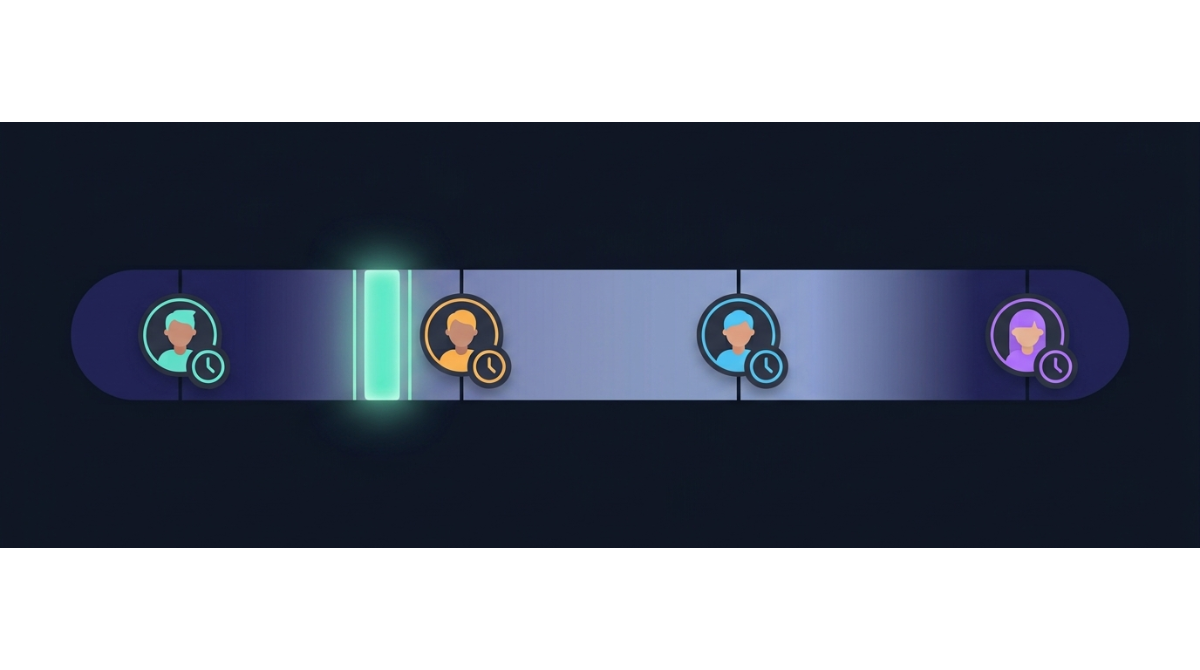
A useful frame: each streamer's broadcast is a "POV" on the same shared world. The schedule's job is to make sure interesting POVs are being broadcast at any given time.
That has practical consequences:
- Avoid scheduling all the "main character" streamers at the same time. If Streamer A and Streamer B are the two highest-profile names in your event, splitting them across different blocks means each block has a marquee streamer. Putting them on at the same time means the rest of the event feels like the B-side.
- Stagger the streamers with reinforcement. Don't have a single streamer alone for hours. Two or three streamers live at the same time gives you cross-pollination (audiences raid each other), in-game interaction, and a backup if one streamer's setup breaks.
- Build the schedule around expected in-game moments. If the highlight of your event is a big base reveal at 8pm UTC on Saturday, schedule the highest-profile streamers to be live around that moment.
The point is that the schedule isn't just "who streams when" — it's the production design for the event's narrative.
Step 4: One canonical event page, linked everywhere
Once the schedule is locked, you need a single URL that every streamer in the event points their audience at.
A StreamDay event page is purpose-built for this:
- It shows every streamer with their Twitch / YouTube / Kick channels
- It renders the per-day schedule grid with times in the viewer's local timezone
- It has a "live now" highlight that surfaces whoever's currently streaming
- It has a "next up" card so viewers know what's coming
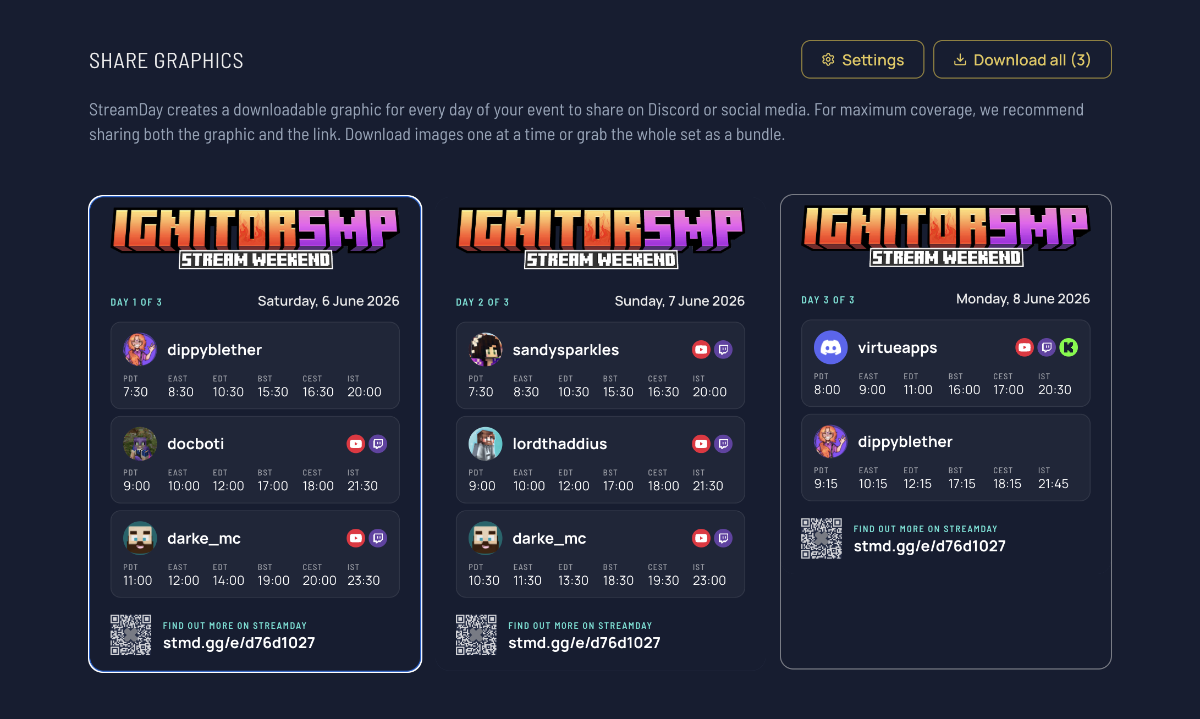
- It generates a per-day share graphic with the schedule baked in — the thing your streamers will repost on Twitter
What goes in your event page:
- Event title. Be specific: "Spring SMP Charity Stream" beats "SMP Event". Searches for the specific name will find your event.
- Date range. Most SMP events are 1–3 days. Three is usually the maximum; past that, viewer fatigue sets in.
- All streamers. Their Discord usernames + display names, their channel URLs.
- Schedule blocks. Who's streaming when, on which day.
- Custom header image if you've made one. Most established SMPs have brand art; use it instead of the default yellow event banner so the page reads as part of the SMP's identity.
The URL goes in:
- Every streamer's Twitch panel
- Every streamer's YouTube channel banner / about
- The SMP's main Discord, pinned
- Every promo tweet
- Twitch chat commands ("!schedule")
Step 5: Promote across the streamers' audiences, not just yours
The single biggest factor in SMP event turnout: how aggressively every streamer in the lineup promotes the event to their own audience.
A 10-streamer event where 9 streamers post about it once and 1 streamer doesn't post at all loses ~10% of the audience. A 10-streamer event where every streamer posts 3 times — announcement + 1 week out + day of — gets 3x the turnout of an event where they each post once.
This isn't because streamers are slacking. It's because most lineup streamers genuinely forget. The event is a side project to them; their own stream content is the main one. They mean to retweet the announcement but it falls off their list.
What works:
- Send every streamer a content pack the week before. A pre-written tweet, an Instagram caption, a Discord announcement template, the share graphic. Make it copy-paste easy.
- Schedule "promo reminders" in your group DM. Three days before, day before, day of. Just a "hey, link to share if you haven't yet" with the URL and the graphic attached.
- Don't be precious about wording. Streamers will tweak the copy to fit their voice. That's fine — what matters is the URL goes out and the audience sees it.
The share graphics StreamDay generates per day are designed for exactly this — small enough to attach to a tweet, large enough to read at thumbnail size, with timezones baked in so a streamer's international audience can read it without doing math.
Step 6: Run-of-show on the day
The day of the event, three things matter:
Have one person watching the handoffs. Every transition between streamers is the moment things can go wrong. Someone (usually you) is in the chat of each handoff, ready to message the incoming streamer if the outgoing one is running long.
Update the event page if anything shifts. If a streamer drops, edit the schedule first, then announce in chat. Viewers refreshing the page should see reality.
Keep the in-game experience aligned with the schedule. This is the SMP-specific bit. If your schedule says "8pm: big base reveal", make sure the base is actually ready by 8pm. The schedule is a promise to viewers; in-game readiness is how you keep it.
A common SMP event failure mode: the schedule is great, but the in-game world isn't staged for the moments the schedule promises. Viewers tune in for the 8pm reveal, see fifteen minutes of admin chatter, and bounce. Schedule the outcomes, not just the streamers.
Step 7: Wrap up properly
The event ends. What now?
- Archive the event page. On StreamDay this happens automatically once the last day's end time passes — the page shows "this event has ended" rather than confusing late visitors.
- Send a thanks message to every streamer. Acknowledge specifically what they brought. This is the difference between "I might do another event with this organiser" and "I'd definitely do another event with this organiser".
- Save the artefacts. The promo graphics, the schedule, the participant list. They become the template for next season's event.
- Post-mortem within a week. While it's fresh: what worked, what didn't, what you'd change. Even a 30-minute discussion in your organiser DM is enough.
If you ran a successful event, the urge will be to immediately announce the next one. Resist for at least a week. Let the post-mortem learnings actually inform the next event's planning — that's the work that turns one good event into a recurring tradition.
A worked example
Our event demo page is structured like an SMP event: seven streamers across three days, with one streamer (Steve) anchoring multiple blocks across the run. Times render in your local timezone. The share-graphic cluster includes Pacific, Eastern, UK, and JP — the realistic international mix an SMP event needs.
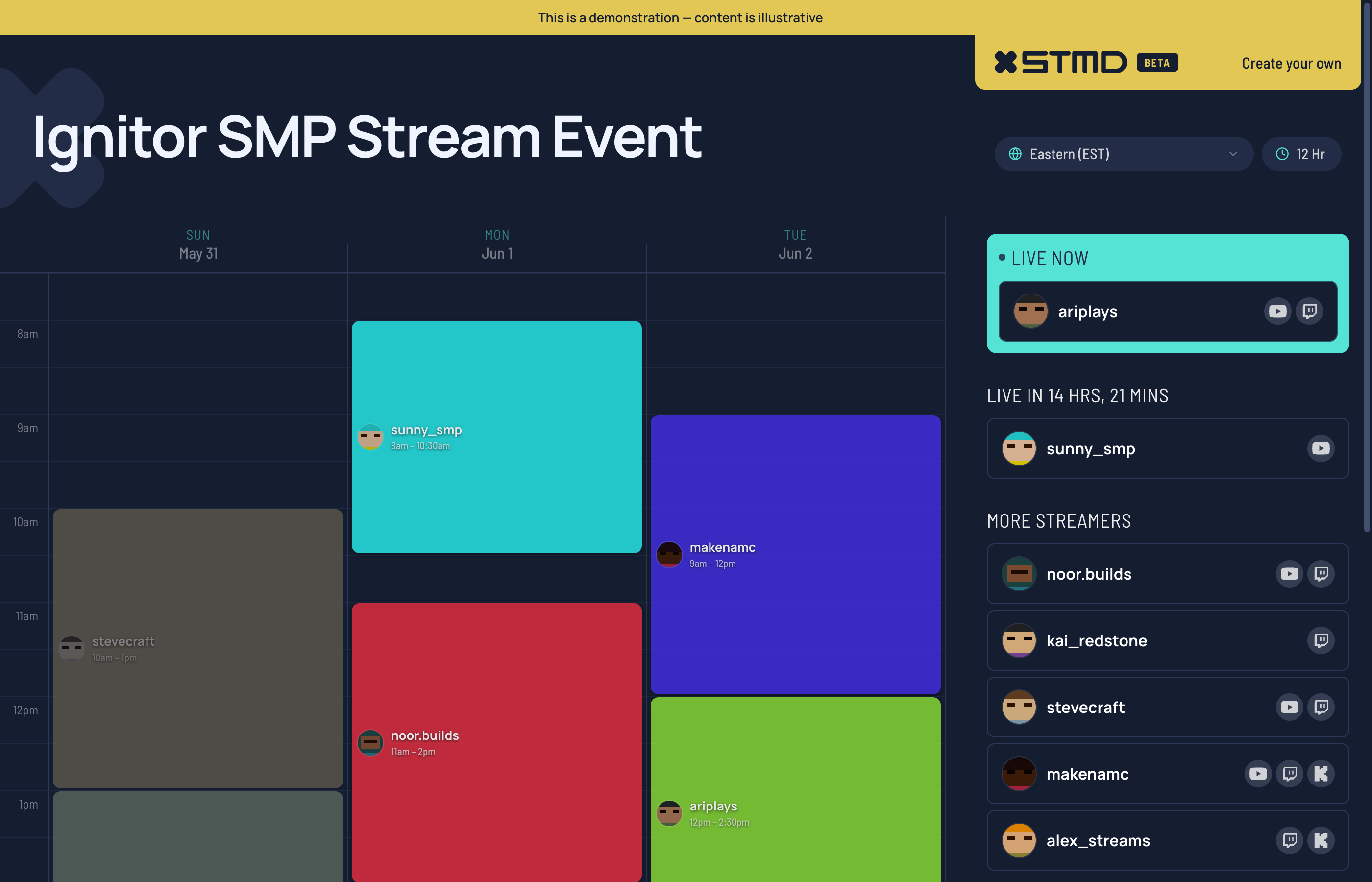
You can see how the live "next up" card works, how multi-streamer overlap renders in the schedule grid, and how the streamer cards link out to each participant's channels. It's the same template every published SMP event renders from.
What to do next
If you're planning an SMP event, the three things to do before you announce:
- Lock the streamer lineup with availability windows in writing
- Build a schedule that reflects both timezone fairness and POV staging
- Create the event page and get every streamer the URL before promo starts
Then the actual production — Minecraft, builds, gameplay — can be the part you spend creative energy on. The coordination layer stops being the bottleneck.
If you'd like to use StreamDay to run your next SMP event, the free tier covers building the schedule, inviting streamers, and previewing the public page. You only pay when you're ready to publish for your audiences to see.
Here's what setting up a stream event looks like in practice: