StreamDay launches into beta
StreamDay is open for beta. If you're a streamer who's ever tried to keep your schedule in sync across Twitch, YouTube, and a pinned Discord message — or organise a multi-streamer event without losing track of who's on when — this is for you.
This post is a quick tour of what's in the box at launch, why we built each piece, and what you can expect from us next.

The problem we kept seeing
Two problems, really, that turned out to be the same problem.
The first: streamers who broadcast on multiple platforms have no good way to publish "here's when I go live" without maintaining the same schedule in three or four places. Twitch panel. YouTube community tab. Discord pin. Maybe a Linktree. Every time a stream moves, they update one or two of them and forget the rest.
The second: anyone running a multi-streamer event — a collab stream, a raid train, an SMP event, a charity stream — is doing schedule coordination in Google Docs and DMs. The schedule lives in a spreadsheet that gets edited fifteen times in the week before the event. Viewers can't read it because it's in often not in their their own timezone. Streamers in different timezones miss their slots. The whole production gets less attention than it deserves because organisers are spending their week firefighting the schedule.
Both problems come down to the same missing thing: a real, shared, live source of truth for streaming schedules — one that's aware of timezones, syncs from the platforms streamers actually use, and can be shared at one URL.
It'll also generate promotional stream graphics for your events automatically.
That's what StreamDay is.
Personal stream schedules
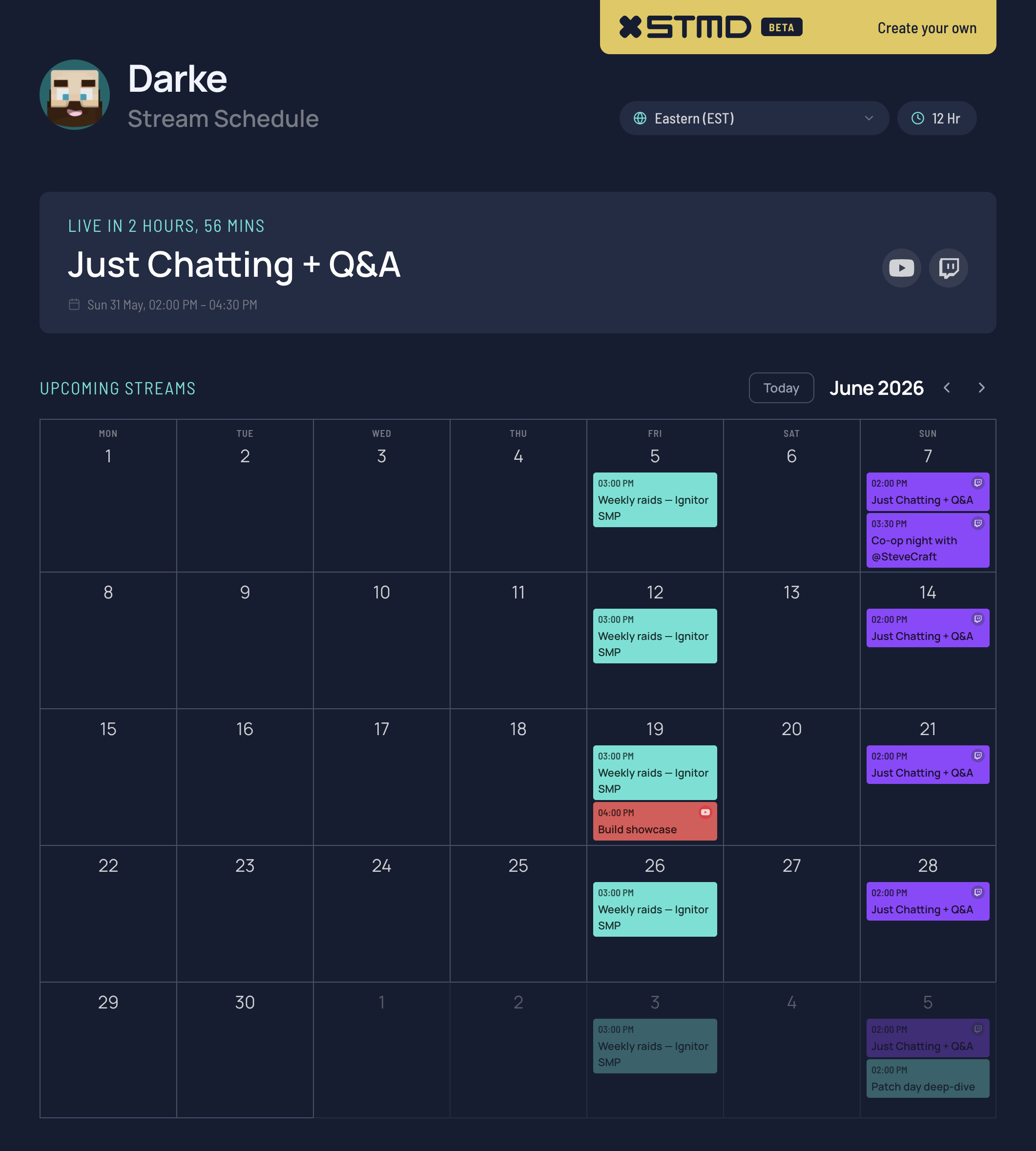
Connect your Twitch and YouTube accounts and StreamDay pulls in your scheduled streams automatically. Add your own events on top — vlogs, podcast appearances, off-platform community events, anything you want your audience to know is coming.
Set up recurring streams once ("Monday raids, 8pm–11pm, every week") and they auto-populate forever. Override individual occurrences when you need to move or cancel one. Tag streams by platform so viewers can see at a glance which channel they'll run on.
Publish to a single URL that you can share anywhere. Viewers see the schedule rendered in their local timezone, not yours. International audiences stop having to do math, and so do you.
Multi-streamer events
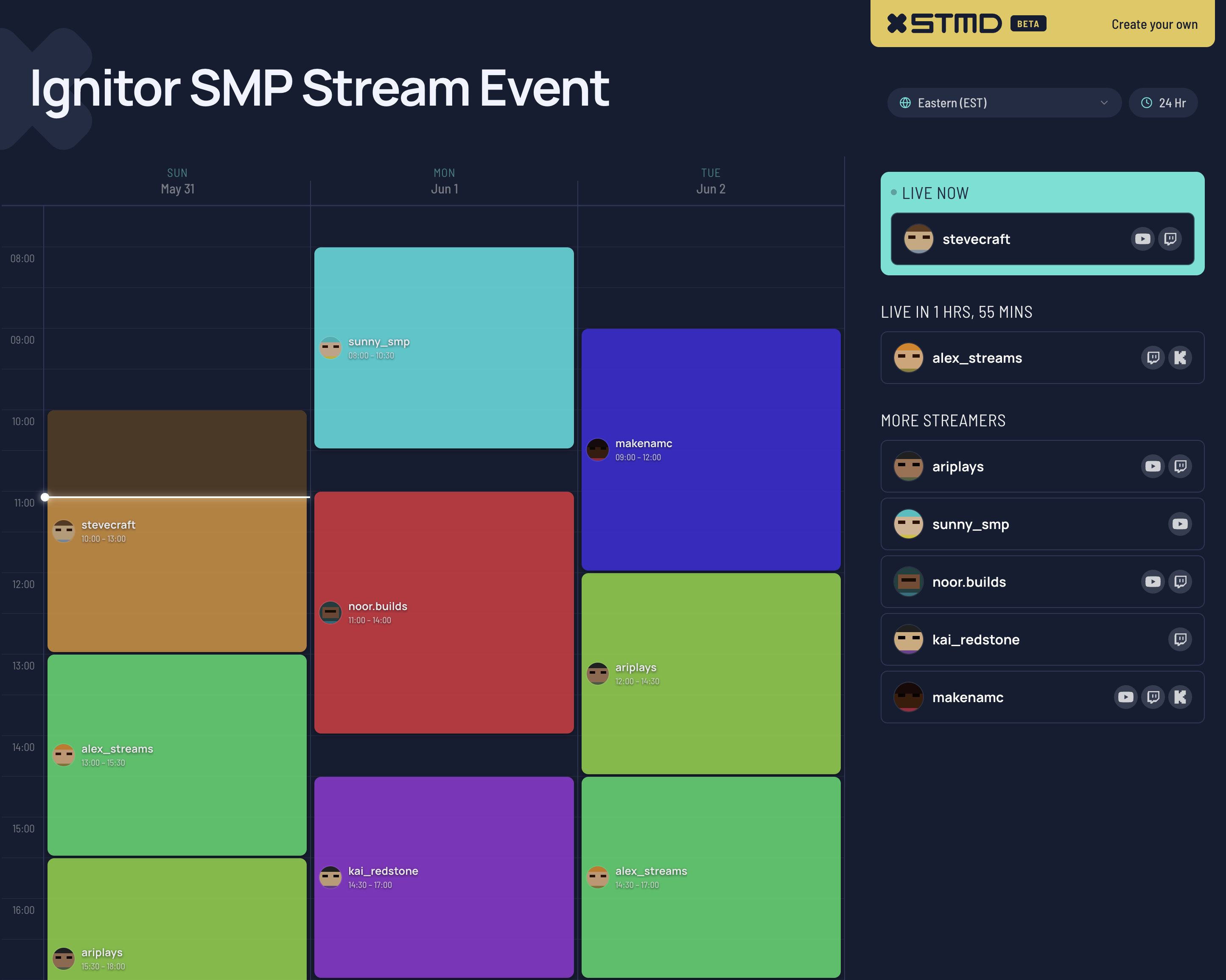
Set up a collaborative event with as many streamers as you need. Each streamer accepts an invite, shares their availability windows, and you build a schedule grid that shows who's streaming when across the event's days.
When you publish the event, viewers get a page that shows:
- The full lineup with each streamer's Twitch / YouTube / Kick channels
- A schedule grid in their local timezone
- A "live now" highlight when someone in the lineup is actively streaming
- A "next up" card so viewers know what's coming
- Per-day share graphics generated for promotion across Twitter and Discord
Everything is designed so the organiser can do the heavy work once — building the lineup and schedule — and the page stays current automatically as streamers go live.
Share graphics that do the promotion work
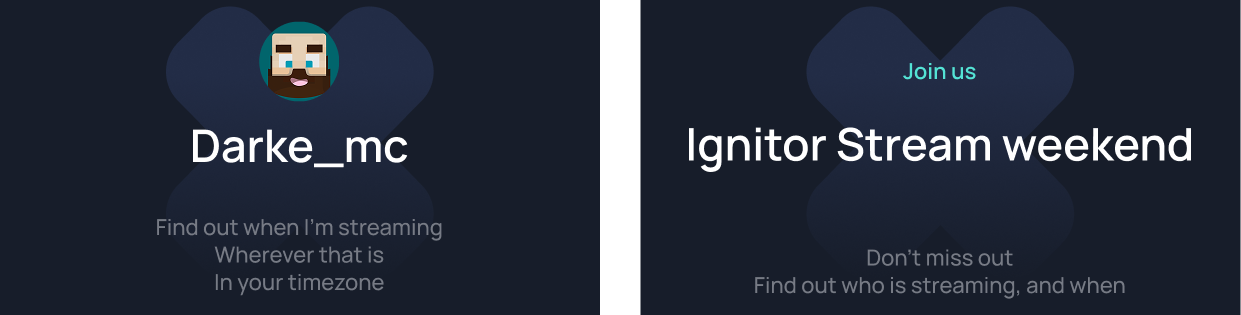
Every published event auto-generates a per-day share graphic — a vertical card sized for Twitter and Discord, with each day's lineup, start times in multiple timezones, and a QR code back to the event page.
This was a deliberate decision. The single biggest predictor of an event's turnout is how aggressively the lineup streamers promote it to their own audiences. Making the promo asset trivial to share means streamers actually share it, instead of intending to and forgetting.
Subscription model
StreamDay is free until you publish. You can build your schedule, connect platforms, set up events, invite streamers, preview the public pages — all without paying. The subscription kicks in only when you flip the switch to publish for real.
The pricing is intentionally light: $1.99/month or $19.99/year. We're priced for individual streamers, not enterprise software budgets. There's a 30-day free trial when you do subscribe, so you can publish for a month and see if the page-going-live value is worth it before any money changes hands.
Why we built this
The streaming world has been platform-fragmented for a long time. Every platform has its own scheduling, its own dashboard, its own audience. None of them care about helping viewers track a streamer across platforms, or helping a streamer coordinate with anyone else.
That fragmentation pushed schedule-sharing into the spaces between platforms — Discord pinned messages, Google Docs, screenshot announcements on Twitter. Tools built for general-purpose use, doing a streaming-specific job badly.
StreamDay is the schedule-sharing tool we wished existed when we started running multi-streamer events ourselves. It started as a side project to scratch that itch and grew into something we thought other streamers might want too.
Try it
If you'd like to see what a published schedule and event look like before signing up, check out our stream schedule demo and event demo. Both are evergreen examples of what your audience will see.
When you're ready, sign up here. Free until you publish — set up the schedule and the event, decide if it's worth subscribing when you're ready to flip the switch.
If you've got requests or things that aren't working the way you'd expect, drop us a line. We read everything and the early beta period is exactly when we can move on feedback quickly.
Welcome to StreamDay.